The Ultimate 2026 Guide: How to Sell AI Images on Adobe Stock for Passive Income

The Ultimate 2026 Guide: How to Sell AI Images on Adobe Stock for Passive Income
The Revolution of Stock Photography
Learn how to sell AI images on Adobe Stock with our ultimate 2026 guide. From account setup to your first sale, discover the best tools and SEO tips for passive income.
In the digital economy of 2026, the barriers to entry for creative professionals have vanished. Traditional stock photography, once reserved for those with expensive DSLR cameras and high-end studios, has been transformed by Generative Artificial Intelligence. Today, your “camera” is your imagination, and your “lens” is a well-crafted AI prompt.
Adobe Stock has emerged as the global leader in this transition. By creating a transparent and legal framework for AI-generated content, they have provided a golden opportunity for digital artists to build a sustainable passive income stream. However, making money on Adobe Stock is not about “spraying and praying” with thousands of random images. It is about understanding market demand, mastering technical quality, and optimizing for search engines. This guide will take you through every granular detail of becoming a top-tier Adobe Stock contributor.

Why Choose Adobe Stock Over Other Platforms?
While there are dozens of stock agencies, Adobe Stock remains the premium choice for AI contributors for three specific reasons:
-
Creative Cloud Integration: Your images are served directly inside Photoshop, Illustrator, and InDesign. When a designer needs an image, they don’t even have to leave their app to find and buy your work.
-
AI-Friendly Policies: Unlike platforms that ban or shadow-ban AI content, Adobe provides clear guidelines. As long as you follow their rules, your account is safe.
-
High Royalty Rates: Adobe offers competitive commission structures (33% for illustrations and photos), which are often higher than the industry average for subscription-based downloads.
Step-by-Step: Setting Up a Professional Contributor Account
Before you generate your first image, your backend must be professional. Any mistakes in the setup phase can lead to payment delays or account suspension.
The Registration Process
Visit the Adobe Stock Contributor Portal and sign in with your Adobe ID. If you don’t have one, create it using a professional email. Ensure your profile name matches your legal documents to avoid verification hurdles.
Mastering the Tax Interview (W-8BEN)
Adobe is a US-based entity. To receive your full earnings, you must complete the tax interview. If you live outside the US, you will likely fill out the W-8BEN form. This form confirms your residency and allows you to benefit from tax treaties between your country and the US, potentially reducing your withholding tax from 30% down to 0% or 10%. Do not skip this step.
The AI Toolkit: Choosing the Right Software for 2026
In 2026, the competition is high. You cannot rely on basic, low-quality AI generators.
Midjourney (The Artistic Powerhouse)
Midjourney remains the industry standard for high-concept art. Its ability to handle complex lighting, textures, and “cinematic realism” makes it a favorite for stock contributors. If you want to create premium “Digital Art,” Midjourney is your best investment.
Adobe Firefly (The Safest Choice)
Firefly is trained on Adobe Stock’s own library, making it ethically and legally “clean.” Since it is integrated into Photoshop, you can use the “Generative Fill” feature to edit and expand your images instantly, which drastically speeds up your workflow.
Leonardo.ai (The All-in-One Tool)
Leonardo.ai is perfect for those who want a balance between free access and professional features. Its “PhotoReal” model is excellent for creating images that look like real-life photography, which is a high-selling category on Adobe Stock.
Technical Mastery: Preparing Images for Review
Adobe Stock reviewers are notorious for their strictness. An image that looks good on your phone might be “technically flawed” in their eyes.
The 4-Megapixel Rule (Upscaling)
AI generators typically produce small files. Adobe requires at least 4 Megapixels. To achieve this without losing quality, you must use an AI Upscaler:
-
Upscayl (Free/Open Source): Excellent for increasing resolution while maintaining sharpness.
-
Topaz Gigapixel AI (Paid): The gold standard for professional contributors. It “repairs” pixels as it enlarges, ensuring your image passes the most rigorous zoom tests.
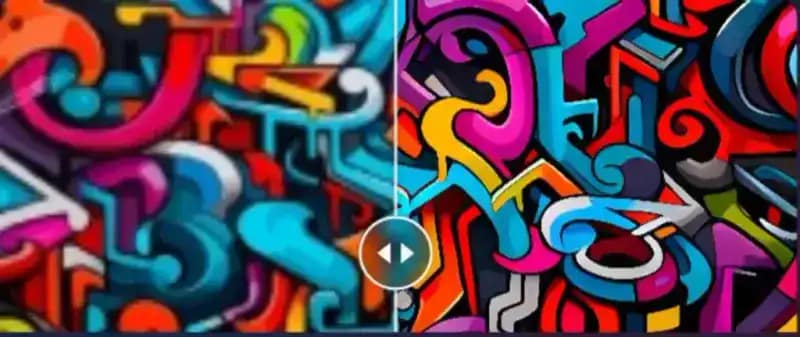
Quality Control & Post-Processing
Open every image in Photoshop and zoom to 100%. Look for:
-
AI Hallucinations: Six fingers on a hand, floating limbs, or distorted eyes.
-
Technical Artifacts: “Noise” in flat areas like the sky, strange blurs on the edges.
-
Solution: Use the Spot Healing Brush or Generative Fill to fix these errors. If an image has a glaring anatomical mistake, delete it. One bad image can hurt your overall account reputation.
Metadata Magic: SEO Titles and Keywords
If a buyer can’t find your image, they can’t buy it. This is where your SEO skills come into play.
Strategic Titles
Avoid vague titles like “Beautiful Sunset.” Instead, use: “Futuristic sustainable city with neon lights, green skyscrapers, and flying delivery drones, 3D render.” Your title should answer: What is it? What is the style? What is the mood?
Optimized Keyboarding
Adobe allows 50 keywords. The first 10 are the most critical.
-
Use Adobe’s auto-tagging tool as a base, but always refine it.
-
Avoid “Keyword Stuffing.” Don’t use words that aren’t in the image.
-
Never use brand names (e.g., Apple, Nike, BMW). If a car looks too much like a Tesla, Adobe will reject it for Intellectual Property (IP) violation.
Understanding Legal Requirements: The Generative AI Label
In 2026, transparency is mandatory.
-
The Checkbox: When uploading, you must check the box: “Created using generative AI tools.“ Model Releases: For AI-generated people, you must signify that the person is fictional. If you generate a character that looks like a real celebrity, your image will be rejected and your account flagged.
High-Profit Niches for 2026
Don’t waste time on saturated markets like “Abstract Backgrounds.” Focus on these high-demand areas:
-
Future of Work: Remote teams using VR/AR headsets in professional settings.
-
Eco-Technology: Futuristic solar farms, bio-architecture, and hydrogen-powered transport.
-
Advanced Healthcare: AI-assisted robotic surgery, futuristic lab settings, and mental health concepts.
-
Cultural Diversity: Inclusive, multi-ethnic groups in modern, high-tech environments.
Common Rejection Reasons (And How to Fix Them)
-
Out of Focus: Usually caused by bad upscaling. Sharpen your image after enlarging.
-
Intellectual Property: A small logo on a shirt or a recognizable building in the background. Blur them out before uploading.
-
Aesthetic Quality: The image is just “boring.” Adobe wants images that have commercial utility (i.e., someone can use them for an ad or a blog).
Getting Paid: Your Revenue Streams
-
Royalty Rates: You earn a 33% commission.
-
Payout Threshold: You can request a withdrawal once you reach $25.
-
Payment Methods: Payoneer (recommended for Asia), PayPal, and Skrill.
Conclusion: The Path to Success
Success on Adobe Stock is a marathon, not a sprint. To build a $1,000/month passive income stream, you need a portfolio of at least 500 to 1,000 high-quality images. Consistency is your best friend. Upload 5 to 10 images daily, stay updated with the latest AI models, and always prioritize quality over quantity.
Frequently Asked Questions (FAQs)
Q1: Can I sell the same AI images on Shutterstock? Yes, most contributors are non-exclusive. You can upload to multiple sites to maximize revenue.
Q2: Will Google penalize my blog for writing about AI? No, Google values helpful, expert content. This guide provides real value to users, which is exactly what Google wants.
Q3: Is it too late to start selling AI art in 2026? No. The demand for specific, high-quality AI visuals is still growing as more businesses move to digital-first marketing.
Next Step for You: Would you like me to provide a list of 10 “Ready-to-Use” Midjourney Prompts for the most profitable niches discussed in this article?
One Comment